Mastering the Coquette Beach Seashell Patchwork PNG for Professional Sublimation Results
The intersection of coastal aesthetics and the trending coquette style has created a unique niche in the print-on-demand market. Designers are increasingly turning to assets like the Coquette Beach Seashell Patchwork PNG to create summer-ready apparel, accessories, and home decor. However, possessing a high-quality digital file is only half the battle. Many creators stumble not because their designs lack creativity, but because they misunderstand the technical requirements of sublimation printing and digital asset usage. By addressing common pitfalls early, you can ensure your final products meet professional standards and satisfy discerning customers.
Understanding Resolution and Scale Misconceptions
One of the most frequent errors beginners make involves ignoring the relationship between pixel dimensions and physical print size. The featured bundle provides a file sized at 4500px by 5400px with a resolution of 300 DPI. While these numbers sound impressive, they do not automatically guarantee a perfect print if scaled incorrectly. A common mistake is stretching the image beyond its native dimensions to fit large items like full-body pillowcases or oversized tote bags. When you upscale a raster image beyond its original pixel count, you introduce interpolation artifacts, resulting in blurry edges and pixelated details.
To avoid this, always calculate your maximum print size before starting your design. At 300 DPI, a 4500px width allows for a crisp print up to 15 inches wide. If your project requires a larger surface area, consider using the patchwork elements as part of a repeating pattern rather than a single central image. This approach maintains clarity while covering more space. Additionally, remember that sublimation printers often have slight variances in color saturation. Testing a small sample on your specific substrate helps you adjust brightness and contrast settings in your editing software before committing to a full production run.
The Trap of Ignoring Transparent Backgrounds
The value of a transparent background cannot be overstated, yet it is often underutilized. The Coquette Beach Seashell Patchwork PNG comes with a transparent background, which is ideal for layering over various colors and textures. A significant oversight occurs when designers place these elements on white or light-colored backgrounds without considering the final product’s base color. Sublimation ink is translucent; it does not lay down white ink. Therefore, if you sublimate a design onto a navy blue t-shirt, the lighter tones of the seashells and bows will disappear or appear muddy.
A better approach is to curate your product selection based on the design’s color palette. Light pastels, whites, and creams yield the most vibrant results with this type of clipart. If you must use darker garments, consider using heat transfer vinyl for the white elements or limiting the design to light-colored panels within the garment. Always preview your design on a mockup that matches the actual product color to avoid unpleasant surprises during the unboxing experience for your customer.
Licensing Clarity and Commercial Use Boundaries
Navigating digital licensing terms is crucial for maintaining a sustainable business. Many creators mistakenly believe that purchasing a digital download grants them ownership of the artwork itself. In reality, you are purchasing a license to use the file within specific boundaries. The terms for this bundle clearly state that while commercial use is permitted for physical end products like t-shirts, mugs, and stickers, the resale or redistribution of the digital file itself is strictly prohibited.
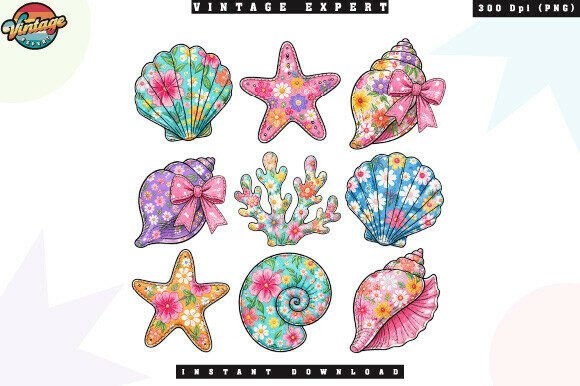
A dangerous misunderstanding arises when sellers include the original PNG file as a "bonus" in a digital bundle or share it in freebie groups. This action violates the terms of use and can lead to account suspensions on major marketplaces. Instead, focus on adding value through your own creative input. Combine the tropical seashells, starfish, and coquette bows with typography, other licensed elements, or custom illustrations to create a unique composite design. This not only adheres to licensing agreements but also differentiates your products in a crowded market.
Color Accuracy and Monitor Calibration
Digital designs often look vastly different on screen compared to printed fabric. A common frustration among new POD entrepreneurs is receiving complaints about color discrepancies. The vibrant blues of the ocean and the soft pinks of the coquette bows may appear duller or shifted in hue after printing. This is not necessarily a defect in the file but a result of uncalibrated monitors and varying printer profiles.
To mitigate this issue, invest time in understanding color management. Calibrate your monitor to ensure what you see is as close to reality as possible. Furthermore, communicate clearly with your customers. Include a note in your product description stating that colors may vary slightly due to monitor settings and material differences. Managing expectations proactively reduces return rates and builds trust. It is also advisable to order samples from your print provider using different materials to see how the ink interacts with polyester blends versus coated ceramics.
Optimizing File Formats for Different Applications
While the PNG format is excellent for transparency and quality, it is not always the best choice for every workflow. Some cutting machines and design software perform better with SVG files for precise vector-based cuts. Since this bundle provides a high-resolution PNG, users attempting to create intricate die-cut stickers may find the edges less sharp than desired if they do not properly trace the image.
For sticker creation, use the high-resolution PNG as a reference to trace vector paths in software like Adobe Illustrator or Affinity Designer. This ensures clean cut lines around the delicate coral and bow details. For sublimation on hard goods like tumblers, the PNG is ideal, but ensure you mirror the image horizontally before printing. Forgetting to mirror the design is a classic error that results in backward text and asymmetrical patterns, rendering the product unsellable.
Final Checks Before Production
Before sending any design to print, perform a thorough audit. Check for stray pixels around the transparent edges, verify that all elements are aligned correctly, and ensure the color profile matches your printer’s requirements. The Coquette Beach Seashell Patchwork PNG offers a versatile foundation for trendy summer products, but its success depends on your attention to technical detail. By respecting resolution limits, understanding licensing boundaries, and accounting for material constraints, you transform a simple digital download into a high-value physical product. Take the time to learn these nuances, and your creative output will reflect the professionalism your customers expect.